

Backup & Sync
Dieser Inhalt ist noch nicht in deiner Sprache verfügbar.
Backup
Section titled “Backup”From here, you can export and save a full backup of your whole song library formatted as a .sbpbackup file. This includes all songs, setlists and your settings.
Use the restore option here to restore any backup you have created. SongbookPro backup files can be used to to restore your library to any device running SongbookPro. If you import it into a device with an existing SongbookPro library, the two libraries will be merged.
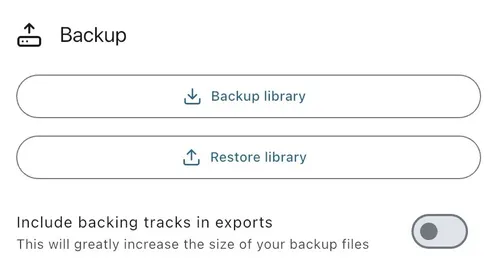
You can optionally include backing tracks in the backup file, but this will greatly increase the size of the backup file.
Note: If the you try to import a backup containing a song that is already in your song library, a new song will not be created but instead your existing song will be used. For two songs to be classed as identical, they have to have the same title and body (Chords and lyrics).
Auto Backup
Section titled “Auto Backup”SongbookPro can automatically create a local backup file of your library on a weekly basis by enabling this feature. If possible, you should choose an SD card as the backup location for the data.
Note: this feature is not available on iOS.
Online Sync
Section titled “Online Sync”You can sync your SongbookPro library to the cloud to synchronise your library between multiple devices running SongbookPro or just use it as an easy way to backup your library. For detailed instructions on using the online sync feature, please see the dedicated page Online Sync.