

Auto-Scroll
Este conteúdo não está disponível em sua língua ainda.
Toggling the Auto-Scroll
Section titled “Toggling the Auto-Scroll”SongbookPro includes an auto-scroll feature to enable hands-free operation when playing a song that doesn’t fit on a single page.
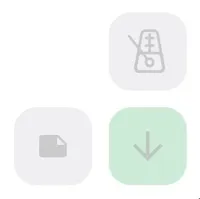
To toggle the auto-scroll on and off, just tap the down arrow in the live buttons. It will light up green when auto-scroll is enabled.
Set the scrolling speed
Section titled “Set the scrolling speed”To edit the scrolling speed, open the Quick Actions menu and use the ‘Auto-scroll speed’ slider. This sets the duration of the song and this is the same time that the auto-scroll will take to scroll from the top of the song to the bottom.
By default, songs will initially have their duration set to 90 seconds.
Auto-scroll settings
Section titled “Auto-scroll settings”From the ‘Live Buttons’ settings menu, you can adjust the auto-scroll settings to customize the default song duration, startup delay and over-scroll features.
A delay to the start of the auto-scroll can be enabled to delay the start of the auto-scroll by a configurable number of seconds. If you have a delay enabled, double pressing the auto-scroll button will immediately start the auto-scroll.
Overscroll can also be enabled to extend the scrollable area by 50% of the screen height beyond of the song.